Imagine your math teacher asks a question. In a normal class, maybe two or three students raise their hands. The rest say nothing. The teacher never knows if the other students understood or not. Flipgrid Math fixes this problem.
Every student records a short video. In that video, the student solves a math problem and talks about how they did it. The teacher watches all the videos. Now the teacher knows exactly what every student understands. That is Flipgrid Math. Simple as that.
What Does Flipgrid Mean?
Flipgrid is the name of an app. Teachers use it to share videos with students. Students use it to send videos back to the teacher.
The app is now called Flip. But most people still say Flipgrid. Both names mean the same thing.
Microsoft owns this app now. It works inside Microsoft Teams.
How Does It Work? Step by Step
Step 1. The teacher posts a math question on the app.
Step 2. Students open the app on their phone, tablet, or computer.
Step 3. The student watches the teacher’s question.
Step 4. The student presses record and makes a short video. In the video, they solve the math problem and explain what they did.
Step 5. The student posts the video.
Step 6. The teacher watches all the videos from all the students.
Step 7. Other students can also watch each other’s videos and reply.
That is the whole process. It is not complicated at all.
Why Do Teachers Use Videos for Math?
Think about this. A student writes the correct answer on a paper. But did they really understand it? Maybe they copied it. Maybe they guessed. The teacher cannot tell just by looking at the paper.
But when a student records a video and explains the answer out loud, everything becomes clear. You can hear if the student understood the steps or not. You cannot hide behind a video. Either you know it, or you do not.
This is why teachers love Flipgrid for math. It shows them what is really going on inside each student’s head.
What Can Students Do Inside the Video?
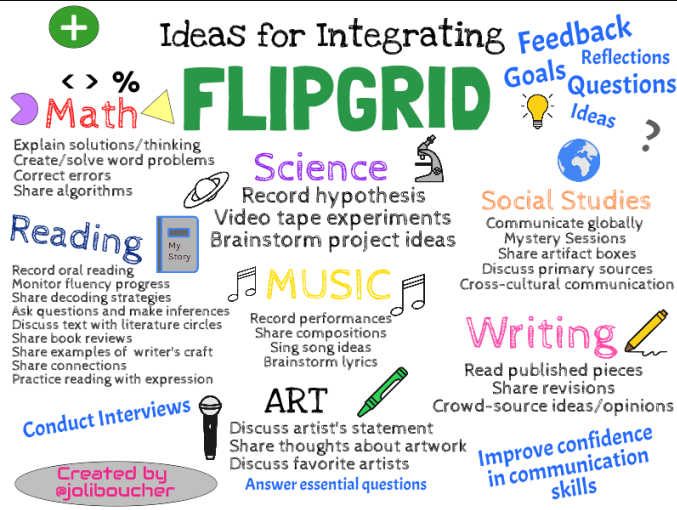
Students do not just talk to the camera. They can also:
Draw on the screen while they talk. This helps them show math steps clearly.
Share their screen and show their work on a digital whiteboard. This is great for showing long problems step by step.
Write on the screen. Good for showing numbers, working, and calculations.
Record again and again until they are happy. They only post when they feel ready.
Add stickers and fun effects. This makes younger kids feel less nervous about recording.
Does Every Student Have to Speak?
Yes. Every student records their own video. Not just the smart ones. Not just the confident ones. Every single student.
This is a big deal.
In a normal classroom, quiet students never speak. The teacher never hears from them. With Flipgrid, every student has to make a video. So the teacher hears from everyone.
Many teachers say they were shocked. Some quiet students who never spoke in class made amazing videos. They understood the math very well. They just needed a different way to show it.
Students Do Not Have to Record in Class
This is another great thing about Flipgrid Math.
Students can record their video at home. They can do it at night. They can do it in the morning. They do not have to be in school at the same time as everyone else.
This helps students who feel nervous. They can sit in their bedroom, think carefully, practice a few times, and then record when they feel ready. No one is watching them live. No one can laugh at them.
How Teachers Use Flipgrid in Math Class
Talking Through a Problem: The teacher posts a math problem. Students record themselves solving it and saying every step out loud. The teacher can hear exactly where a student gets confused.
Mental Math: The teacher posts a number. Students record how they work with it in their heads. Different students find different ways to get the answer. The whole class learns from watching each other.
Teaching It Back: After a lesson, students record a video where they explain what they just learned as if they are teaching a younger child. If you can teach it, you truly understand it.
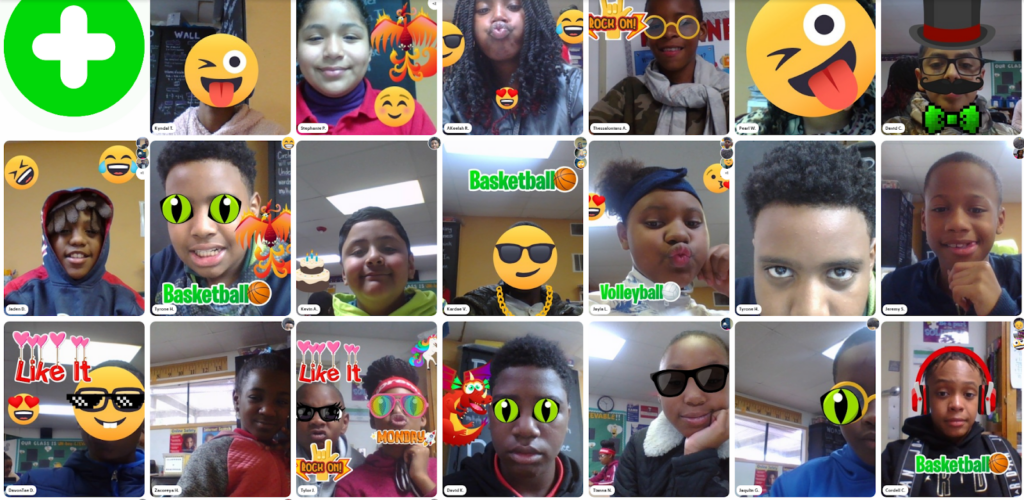
Checking Each Other’s Work: Students watch their classmates’ videos and leave a video reply. They say what was good and what could be better. This teaches students to think carefully about math.
Math in Real Life: Students find math in their everyday life and record a video about it. For example, a student might record themselves at a shop and explain how they compared two prices.
Good for Young Children Too
Flipgrid Math works for very young children as well.
A kindergarten teacher can ask students to count objects at home and record them on camera. First-grade students can sort shapes and explain what they see. Third-grade students can explain how they added big numbers together.
It works from kindergarten all the way to university. The idea stays the same at every age. Record yourself thinking through the math.
What the Teacher Gets From All This
A normal class has maybe 30 students. During one lesson, the teacher can listen to maybe five or six students. The other 24 students are a mystery. Did they understand? Nobody knows.
With Flipgrid, the teacher watches a video from every student after class. Now the teacher knows exactly where every student stands. If many students are making the same mistake in their videos, the teacher knows what to teach again the next day.
This helps teachers plan better lessons. It helps students get the help they actually need.
Frequently Asked Questions
What if a student does not like how their video looks?
No problem. They can delete it and record it again. They can do this as many times as they want. They only post it when they are happy with it.
Do students need to know how to type?
No. Everything is spoken out loud and recorded. Even very young children who cannot type can use it easily.
Can parents watch their child’s videos?
It depends on what the teacher decides. Teachers control who can see the videos. Some teachers share them with parents. Some keep them only inside the class.
Is it only for students who are bad at math?
No. It is for every student. Even students who are very good at math find it useful. Explaining something clearly on camera is hard for everyone. Even strong students sometimes discover they do not understand something as well as they thought.
What if a student is too scared to be on camera?
This is normal at first. But because students record privately at home and can redo it many times, most students feel okay after the first few times. It is very different from speaking in front of the whole class live.
Does it work for all ages?
Yes. It has been used with children as young as five and with university students as well. The teacher just changes how they ask the question depending on the age group.
Is Flipgrid Math a separate subject?
No. It is a tool used in a regular math class. Teachers use it to make their math lessons better and to understand their students more.
What Do You Need to Use It?
Not much at all. Any phone, tablet, laptop, or computer with a camera works. You need internet. That is it.
Teachers connect it to Google Classroom or Microsoft Teams. Students just need a class code from their teacher. No complicated setup. It is also completely free for teachers and students.